Are you looking for a reliable and versatile screen capture tool that goes beyond just taking screenshots? Look no further than Scrnli - the Chrome extension that offers a comprehensive set of features for content creation. With a total rating of 4.75 based on user reviews, Scrnli is the go-to utility for all your screen capture needs.
Capture, Record, and Convert with Ease
Scrnli not only allows you to take high-quality screenshots, but it also enables you to record your screen and convert videos into multiple formats. Whether you need to capture a specific portion of your screen or record a video tutorial, Scrnli has got you covered.
Effortless Screen Recording and Sharing
With Scrnli's screen recorder, you can easily create video files and instantly share them with your teammates or friends. Whether you want to explain complex concepts or collaborate on projects, the screen recording feature of Scrnli makes communication a breeze. Record from your screen or webcam, save the video, and share it conveniently with others.
Scrnli's video converter allows you to change the format of your videos, making it easy to play them on different devices. The converter supports popular video formats, ensuring compatibility across various platforms. Convert your videos effortlessly and enjoy seamless playback on any device.
Easy and Customizable Screen Capture
Creating screen captures with Scrnli is a breeze. Simply choose between full-screen or partial area capture and take the screenshot with a single click. Customize your screenshots by adding text, drawing lines, arrows, and shapes. You can even share the captured files via a link, save them for future reference, or print them for physical materials.
All-in-One Content Creation Tool
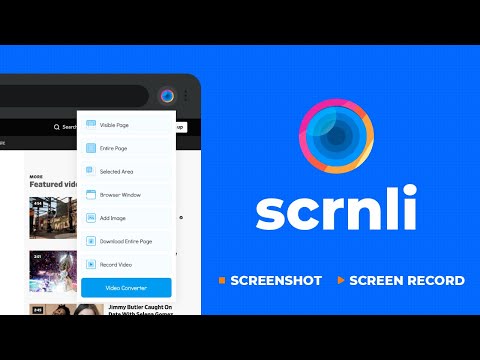
Scrnli sets itself apart from other Chrome extensions by offering a comprehensive set of features for content creation in one convenient place. With just a single click in your browser, you can access advanced tools for screenshots, screen recording, and video format conversion. Say goodbye to switching between multiple apps and streamline your content creation process with Scrnli.
Fast, Easy, and Free
One of the main advantages of Scrnli is its user-friendly design, which allows you to quickly access and share your captured content. Save time by avoiding lengthy descriptions in chats - simply take a screenshot and send it directly. Best of all, Scrnli is available for free, making it accessible to everyone.
Experience the power of Scrnli today and revolutionize your content creation process. Capture, record, convert, and share with ease - all with one powerful Chrome extension.




















30 Reviews For This Extension
The extension is easy to use. But at times, its auto closes without recording. Providing an option to trim the recording would be of great help.
This software is the best in terms of recording.
NICE
Good
so OK
perfect
VERY GOOD SOFTWARE
best work
good work by scrnli
I am mirthful. it is terrific
Dowloading should ask for drive rather than using default download hard disk
easy to use and free super cool thank you
Easy to use and it does what I wanted.
Using it on a daily basis. Briliant app.
Love it
Minblowing I love it.
just started, and so far ,ok!
Great and easy function
good software
Amazing extension and works perfectly and very easy to use.
Very helpful with drawing on screenshots, cropping, blurring, and other options. I liked that in this extension there are many possibilities.
screen recording then having to covert, the conversion taking more than 30mins, like on a 2min vids
Stopped working
It has been several days now that this extension no longer works. When you do a capture, nothing happens for 10 seconds or so; then the new tab opens but there's no image; it's just a white background. I'm running Windows 10 and Chrome Version 133.0.6943.142 (Official Build) (64-bit), and Version 4.2.7 of your app. Please fix. I'll change my review stars when it's back to normal. UPDATE: 3/19/25 - Apparently the tool works in Microsoft Edge. I haven't had time to test in other browsers but it STILL DOESN'T WORK in Chrome. Chrome is the only browser that really matters. Developer update maybe? Please?
EDIT: Update - March 14, Version 4.2.8 is available and IT WORKS GREAT!!! 5 Stars or ALL STARS !!!! Thank you, Serg! - - - - - - - - - - - - - - - - Serg, version 4.2.7 here, it worked fine until a few days ago, maybe March 7th. Now, it takes too long to capture a selected area (which I use a lot) and then the new page opens and where the capture should appear, it now looks white. Hope you can fix this soon, thanks! Chrome Version 134.0.6998.36 (Official Build) (64-bit) EDIT: March, 11 : Updated Chrome to 134.0.6998.89 and it's still not working, Thanks! EDIT: March, 12 : I am on another machibe using version 4.2.6 works great with n 133.0.6943.142
Not working anymore.
i've been using it a while and it does exactly what it promises, it's easy to use, and a great tool to have! thanks!
no screenrecording workd! misguided!
screen recording doesn't work
Good but lower the screenshot quality to much.